Create Images with Qwen AI
Looking for a free AI image generator online that works on any device—no GPU, no pricey software? Qwen Chat from Alibaba Cloud turns vivid text prompts into high-resolution pictures in seconds, all powered by the enterprise-grade Tongyi Wanxiang and Flux diffusion models behind the scenes. This 2025 guide shows beginners and power-users alike how to master text-to-image with Qwen AI, from first click to advanced prompt artistry.
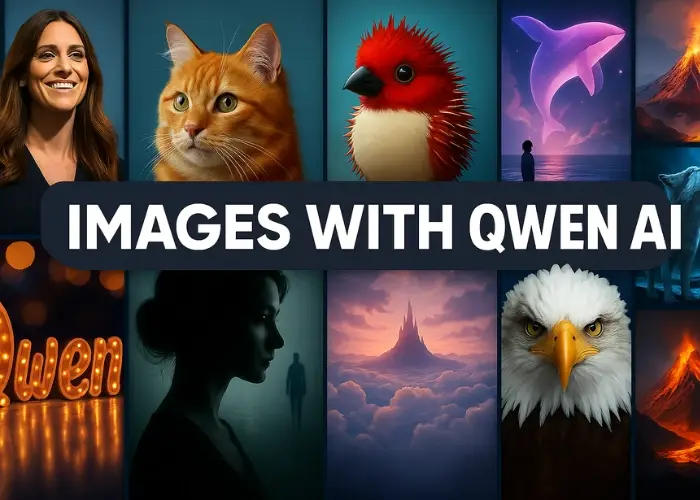
Top Reasons to Pick Qwen Chat for AI Art
- 100 % Free & Cloud-Hosted — start in your browser or mobile app, no local hardware required.
- Enterprise Diffusion Engines — taps
wanx-v1 and flux-v via the DashScope API for crisp, on-brand visuals.
- Unified Multimodal Workspace — switch between chat, code, image and (beta) video creation without leaving the session.
- Zero-Friction UX — plain-English prompts, quick aspect-ratio presets and one-click download links.
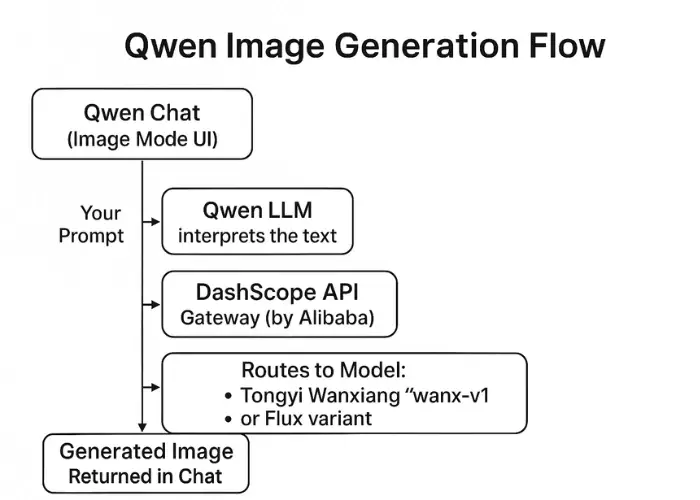
How Qwen’s Text-to-Image Pipeline Works
- You prompt → “A neon-lit cyberpunk alley, 16:9.”
- LLM brain → Qwen 3 interprets intent, injects hidden formatting.
- DashScope call → payload hits Alibaba’s serverless gateway.
- Diffusion core → Tongyi Wanxiang or Flux runs 30–50 denoise steps.
- Delivery → PNG/JPEG pops back into chat, ready for download or up-scale.
Quick-Start: Your First AI Picture in Five Clicks
1 · Launch Image Mode
Visit chat.qwen.ai (or open the iOS/Android app), then click Image Generation next to the input bar. The header switches colour to confirm you’re in visual mode.
2 · Pick the Right Aspect Ratio
- 1:1 — Instagram grid, avatars (≈ 1024 × 1024).
- 3:4 — Pinterest pins, portrait posters.
- 4:3 — blog headers, slides.
- 16:9 — YouTube thumb, wallpaper (≈ 1280 × 720+).
- 9:16 — Reels, Stories, mobile lock-screen.
3 · Write a High-Signal Prompt
Photorealistic close-up of a red rose at dawn, dewdrops on petals, soft rim light, bokeh background.
4 · Add Negative Keywords (Quality Guard-Rails)
… no text, no watermark, avoid blur, ugly, deformed, extra petals
5 · Generate & Iterate
Click Send; expect 30–120 s per image. Tap Regenerate for fresh variations or revise the prompt for finer control.
Real-World Prompt Demos (All Free-tier)
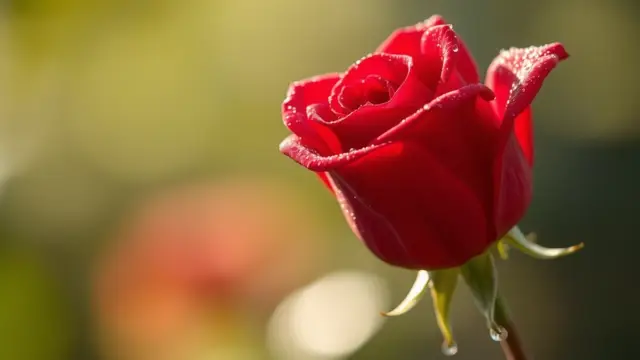 “Photorealistic close-up of a red rose covered in morning dew, rim-lit, bokeh background, no text, no watermark.”
Battle-Tested Prompt Framework (Copy & Adapt)
| Prompt Slot |
Examples |
| Subject & Action |
“Golden retriever surfing” / “Cyber-ninja leaping” |
| Visual Style |
photorealistic, anime cel-shade, oil painting |
| Setting / Era |
“On Mars at sunset” / “1920s Art-Deco ballroom” |
| Lighting / Mood |
neon glow, golden hour, noir shadows |
| Composition |
wide-angle, macro, bird’s-eye |
| Quality Tags |
ultra-detailed, 8k, cinematic |
| Negative List |
no text, no blur, no watermark, deformed |
Power-User Tricks for Consistent Masterpieces
- Character Control — specify ethnicity, age, outfit: “elderly Hispanic woman in vintage dress”.
- Iterative Loop — run → critique → tweak prompt → run again; 2–3 cycles beats 1 long prompt.
- Parallel Tabs — open two image-mode chats to dodge queue time during peak hours.
- Quasi Seed Lock — paste the exact successful prompt immediately again; often re-uses hidden seed for near-identical reruns.
Quick Fix Table: Troubleshooting in Seconds
| Issue |
Root Cause |
Rapid Solution |
| Stuck in image mode |
UI glitch |
Open a new chat; copy history back if needed. |
| Generation failed |
Server load / content filter |
Tap Regenerate or shorten prompt; try after 10 min. |
| Weird hands/faces |
Diffusion artefacts |
Add negatives: bad hands, distorted face. |
| Slow (>5 min) |
Peak traffic / very complex prompt |
Be patient, or split scene into simpler elements. |
FAQ – What New Users Ask Most
How does quality compare with Midjourney?
Midjourney still edges out in ultra-stylised art and extreme photorealism, but Qwen’s free tier nails mainstream scenes and corporate graphics—with zero cost or Discord hoops.
Can I sell images made with Qwen?
Yes—Alibaba’s DashScope terms (2025) grant you commercial rights to outputs. Just avoid infringing prompts (e.g., Disney characters) and always check the latest TOS.
Is in-painting/out-painting supported?
Not yet in the public chat UI, though DashScope’s API already offers edit endpoints. Expect UI support later in 2025.
Key Takeaways
- Qwen Chat is the fastest free gateway to high-quality AI art—no GPU, no install.
- Prompt engineering drives results; use the framework + negatives for consistency.
- Allow 30–120 s per render, iterate ruthlessly, and exploit batching tricks to stay productive.
- Perfect for rapid mock-ups, social content, marketing visuals and creative brainstorming—right inside your everyday AI assistant.
Fire up Qwen Chat now, pick an aspect ratio, and turn words into visuals—free, fast and fun.